


 280
280
Initial Setup- iam Dolan Systems login
Use iam.dolansystems to reset your password and unlock your account.
Follow these steps to set up your Dolan Systems account for the first time:
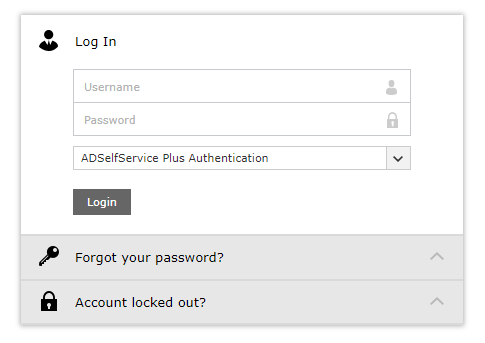
1. Go to the login page
Navigate to https://iam.dolansystems.com
2. Sign in
Enter your Dolan email address (including @dolanautogroup.com) and your password, then click Login or press Enter.
3. Pop-up message
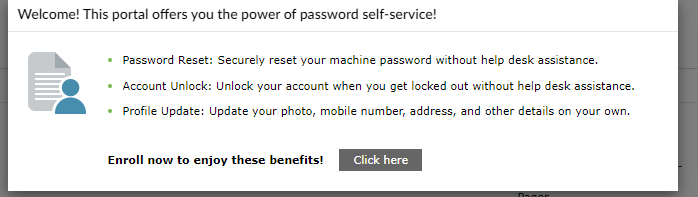
You’ll see a pop-up message appear on your screen.
Do not close or click away from this window.
Simply click “Click Here” to continue.
4. Set up your security questions
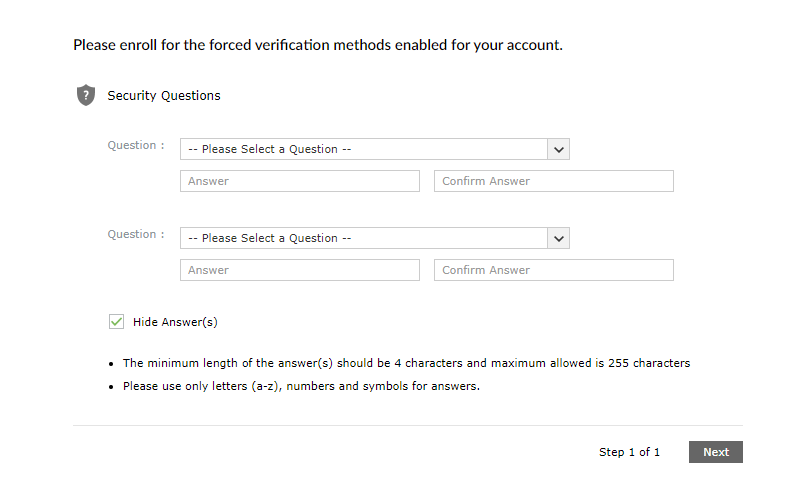
You’ll be redirected to a new page where you’ll need to choose and answer two security questions.
Once both are filled out, click Next.
That’s it!
Your Dolan Systems account setup is complete. You can now reset your password and unlock your account!

